Barcode labels, sized to your stock.
Print barcode labels for any printer from your Shopify store. Quantities default to your stock on hand, so a full print run takes two clicks.
Free plan. Read-only by default. Works with Avery, DYMO, and Zebra.
Built around one idea: label counts come from inventory
Boring and reliable, the way a back-office tool should be.
Quantities from your inventory
Every label count defaults to your current stock on hand, so a full print run is two clicks instead of typing each one by hand.
Start a run any way
Scan at the counter, print a whole collection or vendor, or label exactly what a delivery brought in from an inventory transfer.
Any printer, any size
Avery sheets, DYMO and Zebra rolls, or a custom size including round labels, with an exact preview before you print.
Eight barcode types
Code 128, EAN-13, UPC-A, EAN-8, ITF-14, Code 39, QR, and Data Matrix, with automatic fallback for values that do not fit.
Read-only by default
LabelFast only reads your products and inventory. It never changes your store unless you choose to generate SKUs or barcodes.
Branded labels
Add your logo and metafield fields for labels that look like your brand, not a generic sticker.
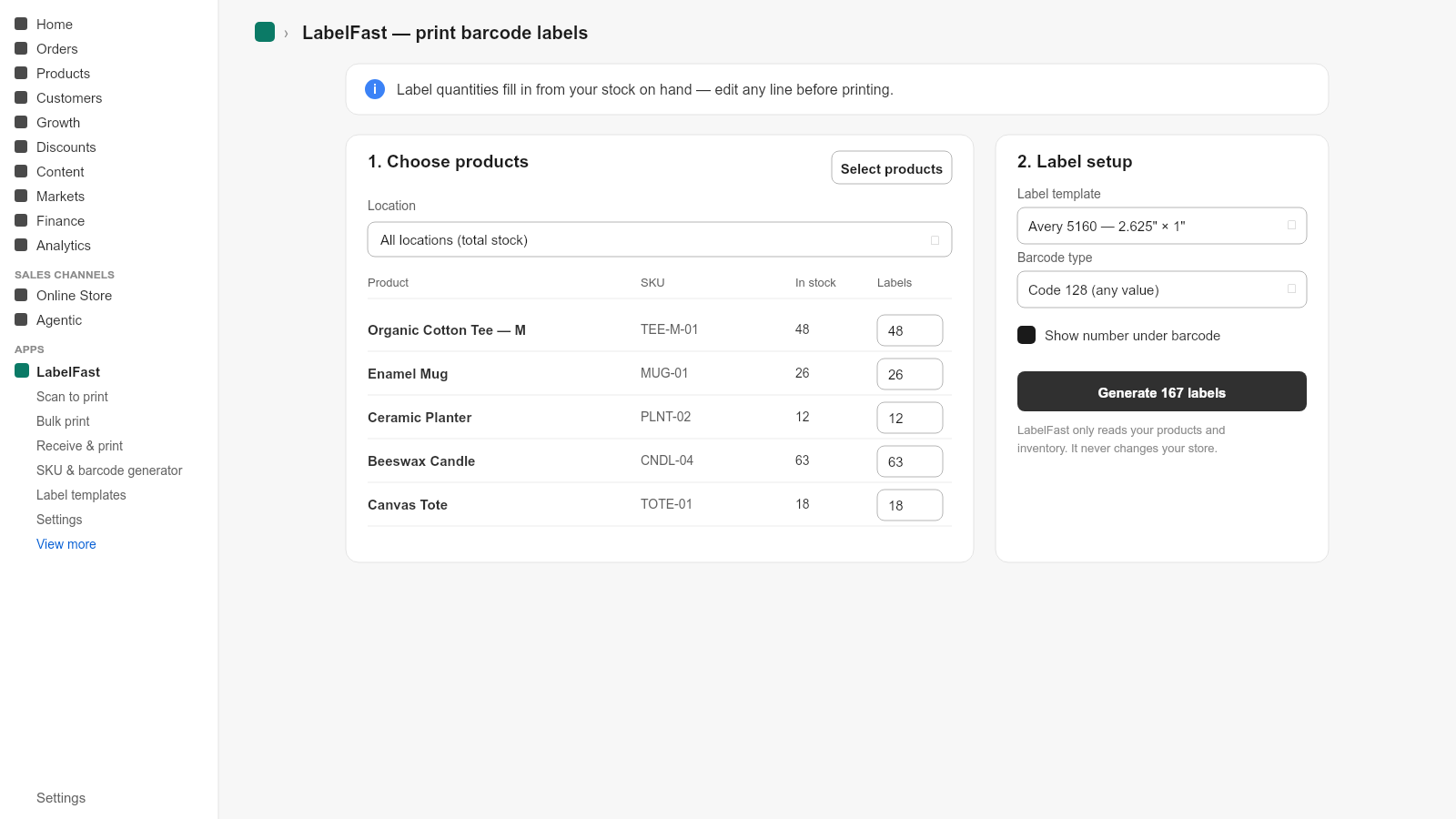
A full print run in two clicks
Pick your products and LabelFast reads your live inventory, so every label quantity is already filled in. Adjust any line, choose a size, and print.
- Quantities pre-filled from stock on hand
- Live preview that matches the printed label exactly
- Print from a scan, a collection, or a received transfer
- Generate missing SKUs and barcodes when you need them
From the LabelFast blog
Shopify is retiring Stocky: how to keep printing barcode labels
Stocky shuts down August 31, 2026. Here's the best Stocky alternative for printing barcode labels in Shopify, and how to migrate your label workflow before the deadline.
Read → GuideHow to print barcode labels without Stocky (2026)
How to print barcode labels without Stocky: why PO label printing ends on August 31, 2026, and the native Shopify transfer workflow that replaces it.
Read → GuidePrint barcode labels when a Shopify inventory transfer arrives
Print barcode labels when a Shopify inventory transfer arrives, with quantities set from the received counts, including partial deliveries.
Read →Print your first labels in two minutes
Install LabelFast from the Shopify App Store and print a full run straight from your inventory.
Get LabelFastCommon questions
How much does LabelFast cost?
There is a free plan for up to 200 labels per month, Unlimited at $12.99 a month, and Business at $29.99 a month. There are no per-label fees.
Which printers and label sizes does LabelFast support?
Any printer your computer can print to, including Avery sheet labels, DYMO and Zebra thermal label printers, and custom sizes. Eight barcode symbologies are supported.
Where do the barcode values come from?
From the Barcode (ISBN, UPC, GTIN, etc.) field on each product variant in Shopify. LabelFast reads that field, so you print exactly the value your store already holds.
How does LabelFast decide how many labels to print?
Label quantities default to your stock on hand, so a full print run for a product takes two clicks. You can override any quantity before printing.